Project Management Basics for Imaging Informatics
How imaging projects - upgrades, new connections, workflow changes, go-live - are planned, tested, communicated, and supported.
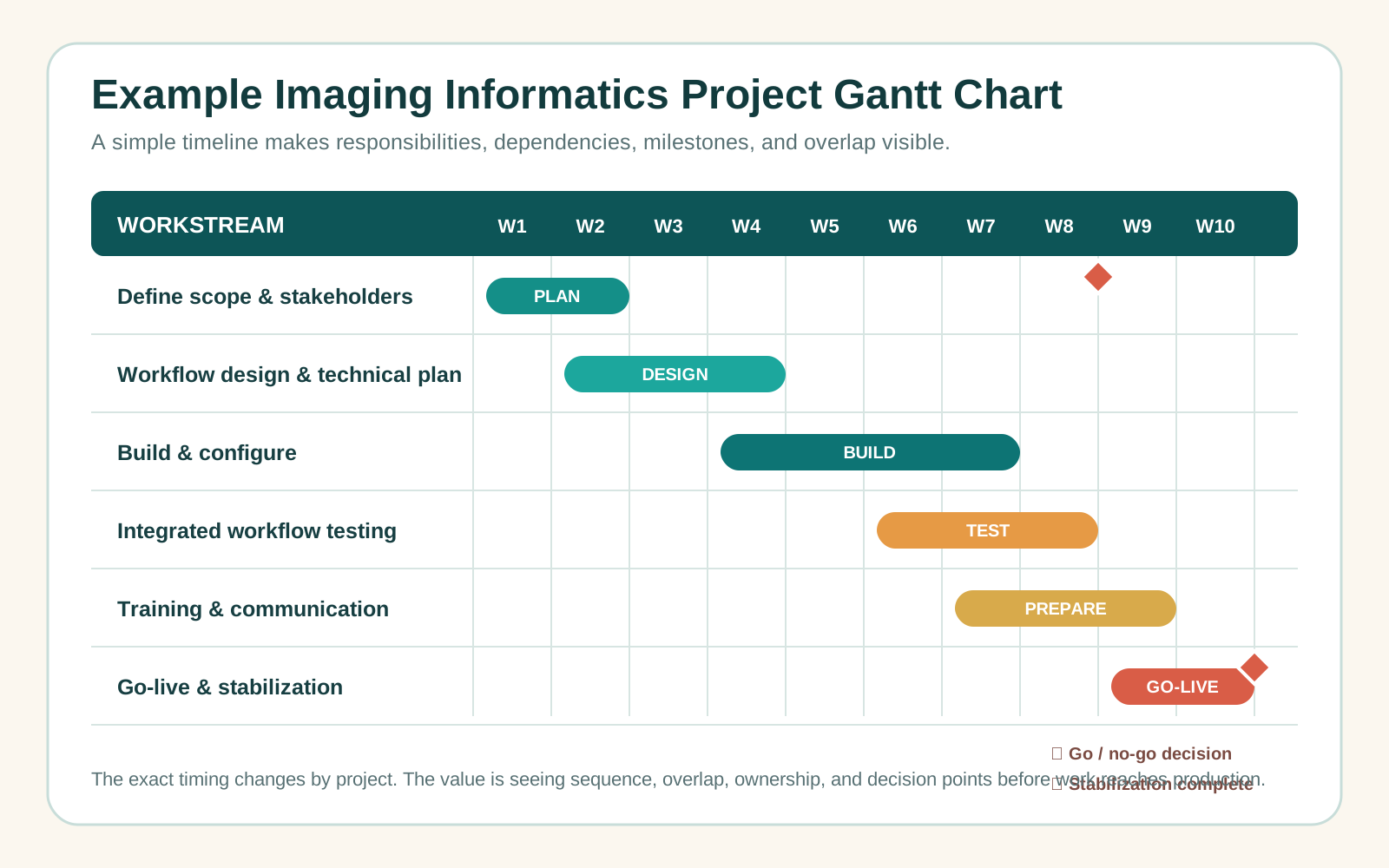
Project management is simply an organized way to plan and complete work. In imaging informatics, a "project" might be a system upgrade, a new modality connection, a PACS or viewer change, a workflow redesign, a reporting or interface update, or a new site implementation - work that usually involves clinical users, IT, vendors, and live operations all at once.
Why it matters more in imaging
An imaging department is a live clinical environment. Technologists are scanning patients, radiologists are reading, reports are flowing, and systems are exchanging messages the whole time. Any change can ripple through that: an upgrade can change how studies open, a worklist change can alter what a radiologist sees, a routing rule can send images somewhere new. Project management reduces the risk of disruption by making sure changes are planned, communicated, tested, and supported rather than improvised.
Five questions every imaging project should answer
- What are we changing? Define the actual change - upgrade, new system, workflow, interface, configuration, or device connection. An undefined change drifts.
- Why are we changing it? A clear purpose (fix a problem, replace aging tech, support a new service, reduce manual work, meet a requirement) guides every later decision.
- Who is affected? Stakeholders typically include technologists, radiologists, clerical staff, PACS administrators, informatics and IT teams, vendors, managers, referring providers, and patients. A stakeholder is anyone affected by the change or needed to make it succeed.
- What could go wrong? Name the risks early - orders not arriving, images not reaching PACS, worklists missing studies, reports not flowing, downtime, or a configuration that does not match the real workflow - and plan to reduce them.
- How will we know it worked? Define success up front: users can complete the workflow, images and reports flow correctly, manual effort drops, tickets fall, and the team can work safely.
Define success and a fallback
Before work begins, agree on what success looks like and keep the criteria simple and measurable. Because imaging changes happen in a live clinical environment, the plan should also include a basic rollback or downtime approach so the team knows how to continue safely if the change does not go as expected.
A basic project path
- Define - the problem, goal, scope, affected users, and intended outcome.
- Plan - timeline, responsibilities, testing, communication, training, and go-live support.
- Build / configure - the system, workflow, interface, or connection.
- Test - confirm it works before it touches the live environment, using realistic workflow examples wherever possible.
- Train & communicate - make sure users know what is changing, when, and how it affects them.
- Go-live - the change becomes active; support matters most here, because real use surfaces what testing missed.
- Review - monitor, gather feedback, and adjust. Some issues only appear under real clinical load.
Key takeaway
In imaging informatics, project management is not meetings and paperwork for their own sake - it is a practical way to manage change, reduce risk, communicate clearly, test properly, and support users. The goal is not just to install technology, but to make the change work safely in a live clinical environment.
Continue learning
This is a high-level introduction. Structured training goes deeper into PACS upgrades, workflow analysis, stakeholder communication, test planning, change management, vendor coordination, go-live planning, and post-implementation support.