In the early days, PACS was mostly understood as a system for storing and displaying medical images. Modern PACS has become something far more central to how imaging operations actually run.
Moving away from film, making images available electronically, and allowing clinicians to access studies more easily changed imaging in a very significant way. But PACS has evolved well beyond that original role.
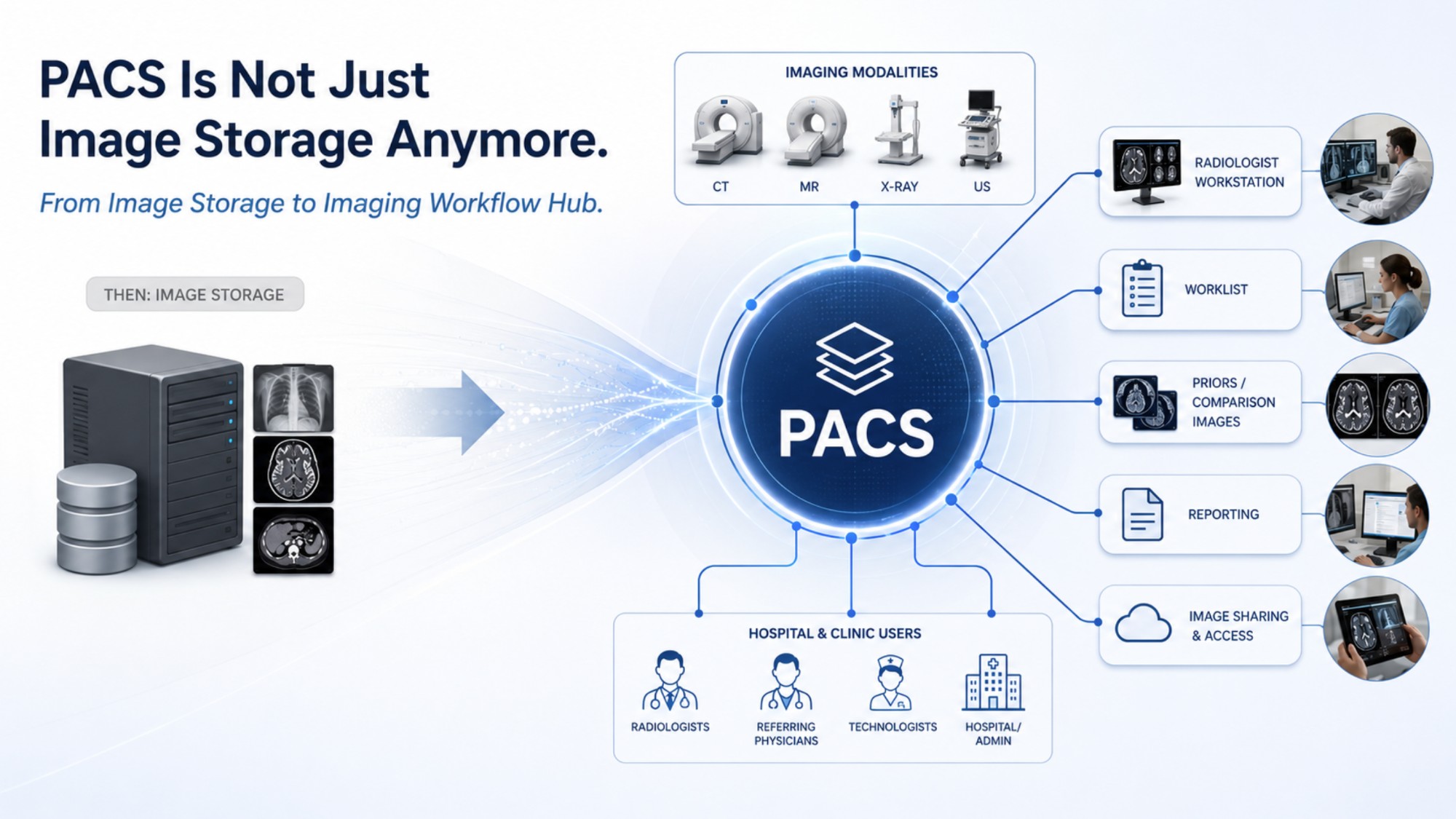
Modern PACS is no longer just an archive with a viewer. It has become one of the central workflow systems in medical imaging.
How PACS Became a Workflow Platform
Each new generation of PACS has added more workflow capability: better worklists, improved routing, hanging protocols, priors management, notifications, reporting integrations, image sharing, enterprise access, subspecialty reading support, and tools for managing studies across multiple sites.
This did not happen by accident.
Diagnostic imaging has always had workflow challenges. Studies need to be acquired, routed, interpreted, compared, reported, distributed, corrected, and sometimes reconciled across different systems and organizations. There are many steps, many users, and many opportunities for inefficiency. The workflow tools in modern PACS exist because those inefficiencies are real.
Having the Right Features Is Not Enough
A PACS may technically include advanced workflow functionality, but that does not mean the workflow will automatically work well for a specific organization. The workflow domain is complex. It depends on how the organization is structured, how radiologists read, how sites are grouped, how priors are managed, how outside studies are handled, and how clinical users expect to access imaging.
This is where configuration becomes critical.
Configuration Is Where the Real Work Happens
A workflow analyst may start with a known working configuration. That is reasonable. Most systems need a baseline starting point, and it is usually better to begin with something proven than to build everything from scratch. But that baseline is only the starting point.
To make the system truly usable, the workflow usually needs to be polished and fine-tuned. Worklists may need adjustment. Routing logic may need refinement. Hanging protocols may need to reflect local reading patterns. Site-specific rules may need to be clarified. Exceptions need to be understood. Small details that seem minor during implementation can become daily frustrations once the system is live.
This is why PACS implementation should not be treated as simply installing software and turning on features. The real work is making the system fit the organization.
When It Works Well, You Do Not Notice It
A well-configured PACS does more than store images. It helps imaging studies move through the clinical environment in a way that is organized, efficient, and understandable to the people using it.
When this is done well, users may not notice the workflow very much. Studies appear where they should. Priors are available. The viewer opens in a way that makes sense. The right users have access to the right information. The system feels natural.
When it is done poorly, the PACS may still be technically functional, but people feel the friction every day.
Storage and Workflow Together
That is why modern PACS needs to be understood as both an imaging archive and a workflow platform. Storage remains essential. Image display remains essential. But the value of PACS today is also in how well it supports the daily movement of imaging information across the clinical environment.